Built for agencies and client-service teams
Deliver client work without the chase.
Projects, tasks, reviews and client approvals in one workspace. Your team knows what's next, clients sign off in one click, and nothing slips through email.
- No credit card required
- Secure billing by Stripe
- Cancel anytime
Why agencies switch
Generic task tools weren't built for client work.
Feedback buried in email
Reviews live on the work
Every comment, proof and revision sits on the deliverable it belongs to.
Approvals lost in chat
One-click client sign-off
Clients approve or request changes, with a timestamped record of every decision.
Tasks split across tools
One delivery workspace
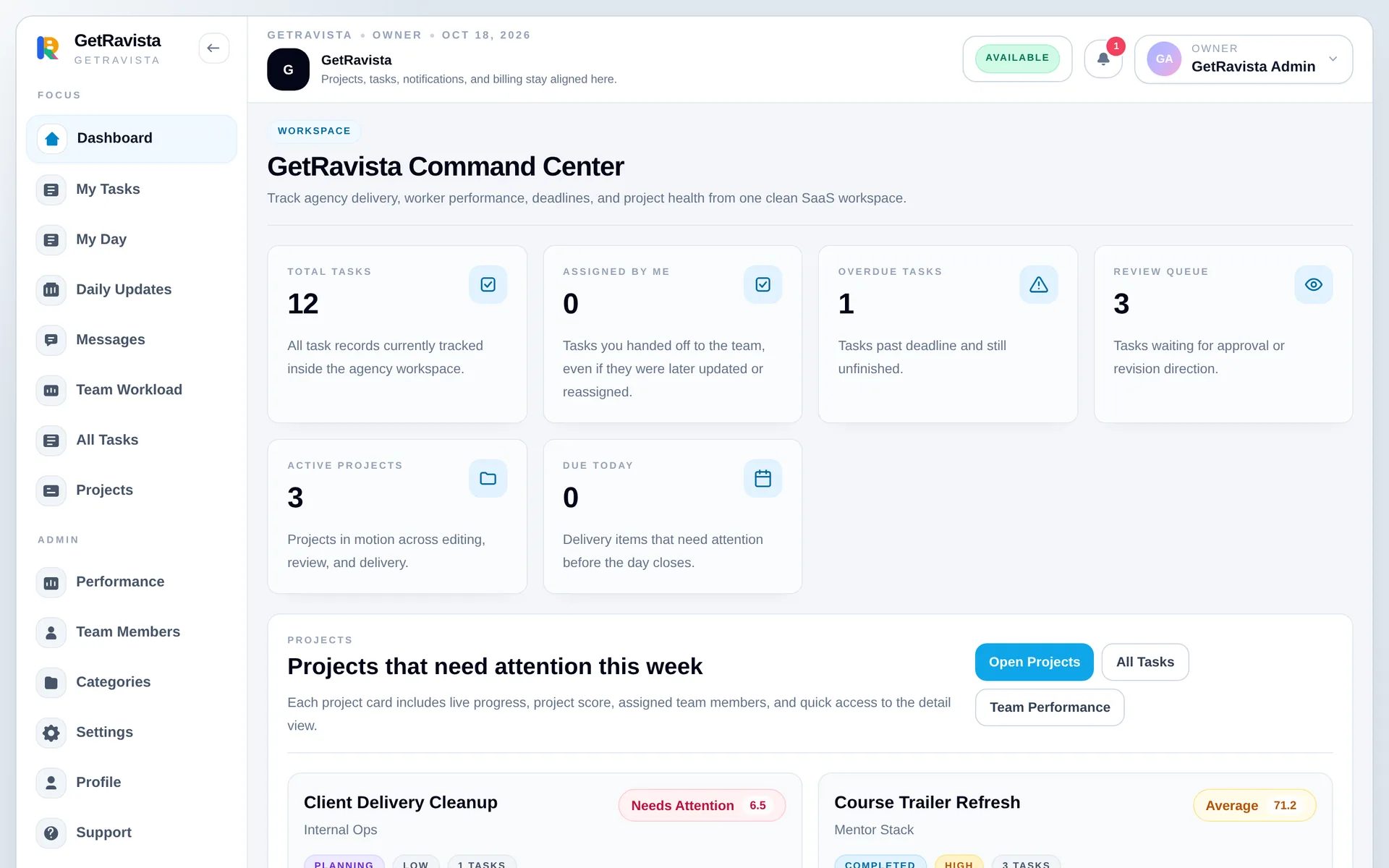
Projects, tasks, handoffs, files and messages live in a single place.
Status kept in spreadsheets
Live team dashboards
See workload, blockers and deadlines before they slip.
Features
Everything between kickoff and sign-off.
Projects & tasks
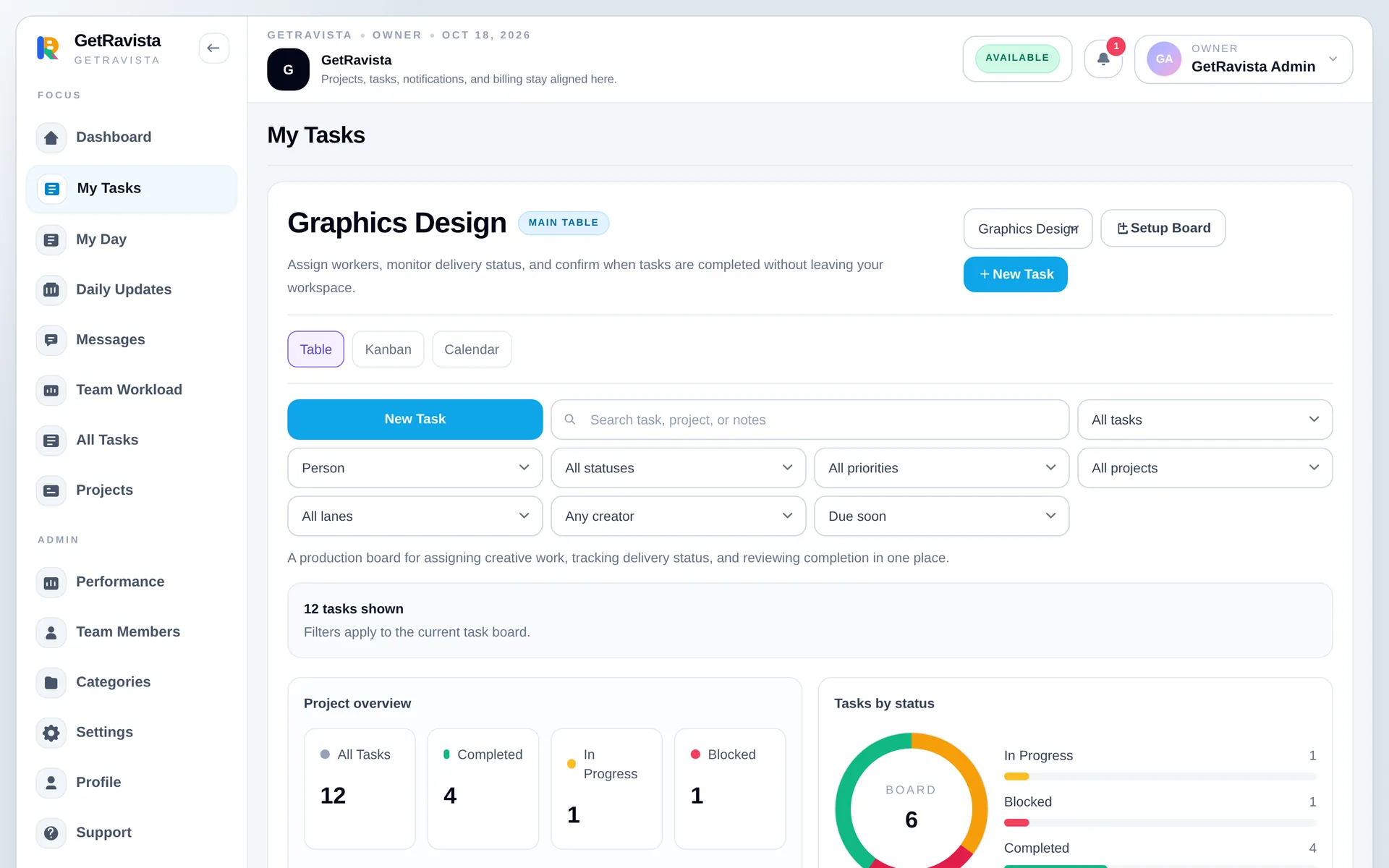
Table, kanban and calendar views with owners, due dates, priorities, checklists, recurring tasks and time tracking.
Review & approval flow
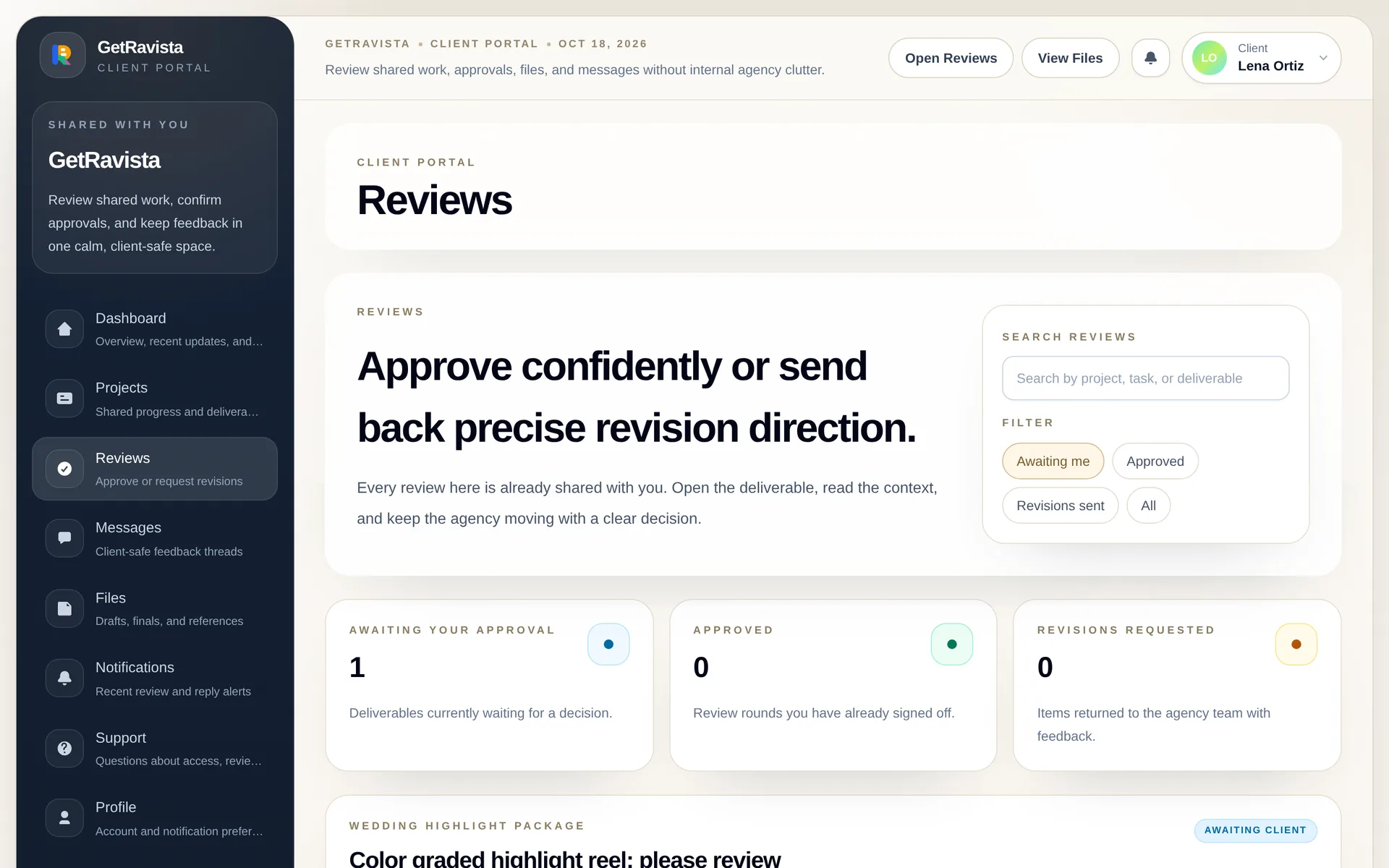
Send work for review, collect revision requests and track every proof version through to final approval.
Client portal
Client-safe views where clients see progress, download shared files and approve deliverables. Nothing internal leaks.
Team workload & performance
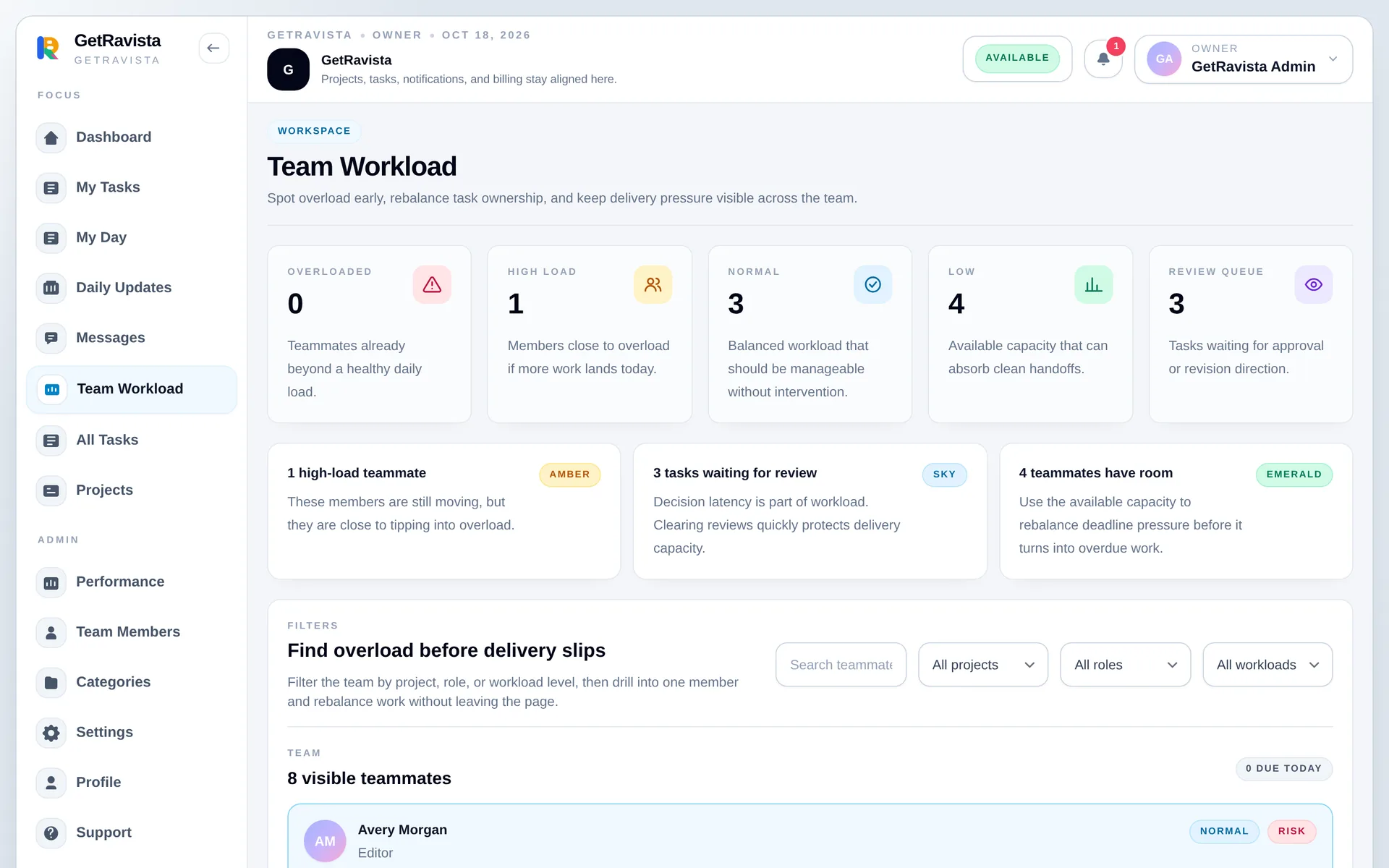
Spot overloaded teammates, rebalance work in bulk and review delivery scores across the team.
Built-in messaging
Internal threads, client conversations and support requests linked to the projects and tasks they are about.
My Day & daily updates
Each teammate plans the day, sees what is due and posts an end-of-day update for managers.
How it works
From brief to approved in four steps.
-
01
Set up your workspace
Create the workspace, pick a workflow and invite your team.
-
02
Plan and assign
Break work into tasks with owners, due dates and priorities.
-
03
Share for review
Send deliverables to the client through their portal.
-
04
Get it approved
The client approves or requests changes, and it is all on record.
Client portal
Give clients a clear window, not your whole workspace.
Clients sign in to see the projects and deliverables you share, leave feedback in context and approve in one click. Internal tasks and conversations stay private.
- Client-safe views of progress, files and deliverables
- Approve or request changes with a timestamped record
- Client messages linked to the project they are about
Pricing
Simple plans that grow with your team.
Every plan starts with a 90-day free trial. Upgrade or cancel anytime.
Starter
For small teams managing projects, tasks, and approvals in one workspace.
$19 /month
Start free trial- 5 team seats
- 12 active projects
- 1 GB secure workspace storage
- Projects, tasks, comments, and daily planning
- Review handoff, proof tracking, and activity history
- Email support for setup and billing questions
Growth
For growing agencies coordinating delivery, reviews, and client collaboration.
$49 /month
Start free trial- 12 team seats
- 40 active projects
- 3 GB shared team storage
- Client portal access and approval workflows
- Advanced review workflow and manager controls
- Team dashboards and workload monitoring
- Up to 3 client collaborators
Pro
For established agencies that need higher limits, deeper visibility, and room to scale.
$99 /month
Start free trial- 25 team seats
- 120 active projects
- 8 GB scalable file storage
- Priority review workflow and leadership visibility
- Designed for multi-team agency operations
- Unlimited client collaborators and approvals
Is GetRavista only for agencies?
It is built for agencies, but it works for any team that delivers work to clients: studios, consultancies, freelancer collectives and in-house creative teams.
Can I invite clients?
Yes. Clients get their own portal with only the projects, files and reviews you share with them. Internal tasks and conversations stay private.
Can my team collaborate inside tasks?
Yes. Tasks support assignees, comments, attachments, checklists, review requests and a full activity history.
What happens when I reach a plan limit?
Seat, project and storage usage is always visible in the workspace, and owners can upgrade at any time from billing.
How does the free trial work?
Every plan starts with a 90-day free trial. No credit card is needed to start.
Can I upgrade, downgrade or cancel later?
Yes. Change plans or cancel anytime from the billing page. Payments are handled securely by Stripe.
Run your next client project in GetRavista.
Set up your workspace in minutes. Free for 90 days.